
AI kiss video generator
AI Kiss Generator: turn two photos into a kiss video
Upload a photo of each person, or one photo that already has both people in it, pick 5, 10 or 15 seconds, and AI Kiss gives you a kiss video as an MP4 with its own sound. It runs in your browser with no sign-up and nothing to install, and the clip is usually back in under a minute.
No sign-up · Ready in under a minute · Runs in your browser
Sample AI Kiss output clip, looping. Tap the speaker to hear the sound it was generated with.
What you get
- Clip length
- 5, 10 or 15 s
- Format
- MP4
- Typical wait
- Under a minute
- Sound
- Included in the MP4
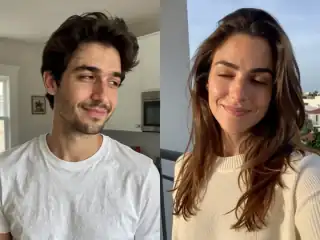
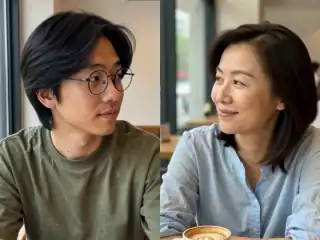
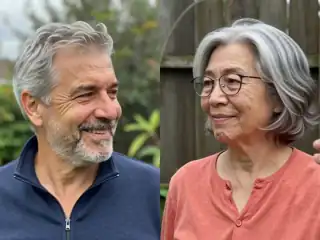
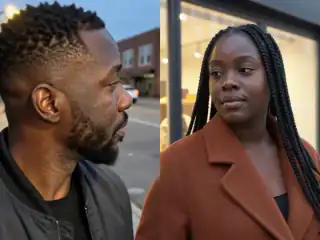
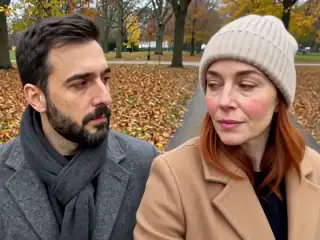
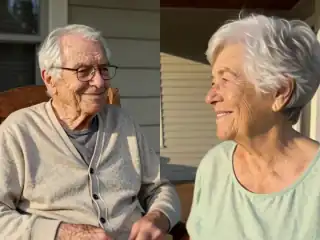
No account
No sign-up, no email, no password.
Photos stay yours
Used for your clip, then deleted.
Stripe checkout
Card details never reach us.
One-time payment
No subscription, nothing renews.
How it works
From two photos to a clip of 5, 10 or 15 seconds
Three steps in the browser. Generation usually takes under a minute.
- Step 1
Add your photos
Open the app and pick two photos with one clear face in each, or a single photo that already shows both people. JPG, PNG and WebP all work.
- Step 2
Pick the frame and the style
Choose 4:3 or 9:16 for the shape of the clip, then pick Kiss, French kiss or Hug. Your photos are combined into one keyframe in the browser.
- Step 3
Generate the clip
Start the render and stay on the page. Most videos are ready in under a minute and appear under My videos.
- Step 4
Download and share
Play the finished MP4 in the browser, download it to your phone or computer, or share it straight into a chat or a social app.
Examples
What the output actually looks like
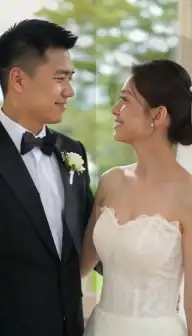
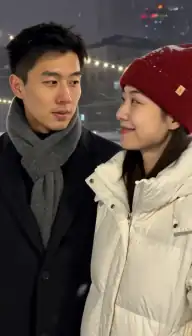
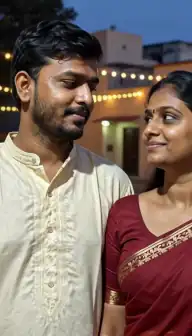
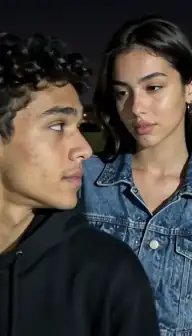
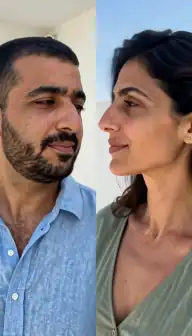
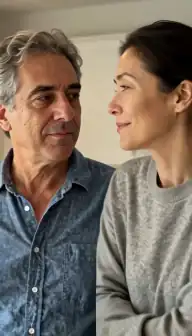
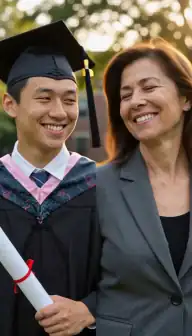
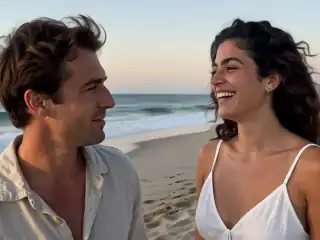
Sample clips generated with AI Kiss. Nothing here is retouched by hand: this is what the model returns.
Any device
No download, no app store
AI Kiss is a web app. Open it in the browser you already have and start with the photos already on your phone.
Works in your browser on iPhone, Android and desktop
- iPhone Safari or Chrome
- Android Chrome or Samsung Internet
- Desktop Mac, Windows, Linux
Nothing to install. App Store and Google Play versions are not available right now.
What you get
Everything the app does, and nothing it doesn't
A short list, because the product is a short list. If something is not here, we do not claim it.
Two photos, or one photo of two people
Upload one clear photo of each person, or a single picture that already has both of them in it. AI Kiss builds the keyframe for you.
5, 10 or 15 seconds, with sound
Pick the length before you generate. Every clip comes back as MP4 at 768p with its own audio track, small enough to post straight to Instagram, TikTok or a message thread.
Kiss, French kiss or hug
Pick the style before you generate. The same two photos can give you a soft kiss, a closer French kiss or a hug.
Square or vertical
Choose 4:3 or 9:16 before you generate and the video comes out in that shape, with no cropping afterwards.
No sign-up, no account
Open the app and start. There is no account to create, no email address to hand over and no app to install. The whole thing runs in the browser tab you already have open.
A failed generation gives your credit back
AI video models sometimes fail. When a generation comes back FAILED the credit is returned to your balance automatically, so you can try again.
Comparing AI kiss generators?
We wrote down what the other tools actually say on their own pages (credits, watermarks, sign-up, clip length) next to what AI Kiss does. No scores, no sponsored placements, sources linked.
Details
Photo requirements
Most failed generations come down to the source photos, not the model. These are the ones that matter.
- One person per photo in two-photo mode, or one photo that clearly shows both people.
- Faces turned towards the camera. Strict side profiles give the model too little to work with.
- Even light on the face. Heavy shadow, strong backlight and dark night shots lose facial detail.
- JPG, PNG or WebP files, sharp rather than blurry, and not heavily filtered.
- Nothing covering the mouth or jaw: no masks, no hands over the face, no scarves pulled up.
- Your own photos, and photos of adults who agreed. No minors, no public figures without consent.
What the AI kiss generator does
AI Kiss animates a single moment from still photos: two people leaning in and kissing. You give it a photo of each person, or one photo with both of them already in frame, choose 5, 10 or 15 seconds, and it returns that clip as an MP4 file with sound that you can download and keep.
Nothing is edited by hand. The two pictures are composed into one keyframe image inside your browser, and that keyframe is what the model animates, so the faces, the clothes and the background in the clip all come from the photos you uploaded. That is why photo quality matters more here than any setting. Clear, front-facing, well-lit faces produce clips that actually look like the people in them.
You can watch finished clips on the examples page before you spend anything, and the step-by-step walkthrough lives on how it works.
Two photos, or one photo with two people
Both modes exist because people arrive with different source material. Two-photo mode is for a pair who have never been photographed together: one photo of each person, one face per picture. The app scales each photo into half of the frame and joins them into a single image.
One-photo mode is for a picture that already has both people in it, such as a couple photo or a group shot cropped down to two. The whole image becomes the keyframe, so the pose, the distance between the faces and the background stay exactly as they were.
Two-photo mode gives you control over who ends up on which side. One-photo mode usually gives the more natural result, because the light and the camera were already the same for both faces. If you have a picture of the two of you together, start with that one.
Kiss, French kiss and hug
The style picker in the app has three options and you choose one before you generate. Kiss is the default, a normal closed-mouth kiss. French kiss is the longer, more intimate version, described in full on the AI French kiss generator page. Hug swaps the kiss for an embrace and is what people use for family photos, friends, and the trend where you hug a younger version of yourself, covered on the AI hug video generator page.
Every style produces the same kind of file: one clip of 5, 10 or 15 seconds, in the aspect ratio you picked, delivered as MP4 with sound. Because the style is chosen before the render rather than after, getting both a kiss and a hug from the same pair of photos means running two generations.
What it costs and what you get for it
One payment covers one generation. There is no subscription behind it, no plan to cancel, no monthly allowance that expires at the end of the month, and no email address collected. Apple Pay, Google Pay and cards all work, and the current figure is on the pricing page.
If a generation fails, the credit goes back to your balance automatically, so a broken render does not cost you anything and you can retry with the same photos or better ones. Promo codes are accepted in the app if you have one. The full breakdown sits on the pricing page.
It is worth being clear about the trade. Free kiss generators exist, and they generally ask for an account, a daily credit allowance, or a watermark on the output. This one asks for none of those things and charges per video instead. The side-by-side comparison sets out what each of the well-known tools states on its own site.
Where it runs
AI Kiss is a web app. Open the app in Safari on an iPhone, in Chrome on Android, or in any desktop browser, and you are already in. There is nothing to install and no account to create, because the app signs you in anonymously in the background the first time you load it.
Photos are resized and combined on your own device before anything is uploaded, so the upload stays small even on a phone connection. On mobile you can add the page to your home screen and it opens full screen like an installed app. Store versions are not available right now, which the AI kiss app page explains.
Where it struggles
Some photos will not produce a good clip, and it is cheaper to know which ones before you generate. Blurry faces stay blurry, because the model animates what it is given and cannot invent detail that was never captured. Strict side profiles are the most common disappointment, since the model has to guess at the far side of the face. Group photos with three or more people confuse who is supposed to kiss whom, so crop down to two faces first.
Mismatched sources are the other frequent problem. A bright outdoor selfie next to a dim indoor flash photo produces a clip where the two halves obviously came from different places. Pick two pictures with similar lighting, a similar distance from the camera and similar sharpness. The photo requirements guide works through the specifics.
Consent and the photos to leave alone
Use your own photos and photos of adults who agreed to appear in the video. That rule is written into the terms. Do not upload photos of minors, celebrities or strangers whose pictures you found online.
Photos and finished videos are stored so the app can show you your library, and you can ask for them to be removed by contacting support, which is explained on the privacy page. If you intend to post the clip anywhere public, tell the other person in it first.
Consent & safety
An AI kiss video puts two real faces in a scene that never happened. That only works if everyone in the frame is fine with it, so these rules are not optional.
Only photos you are allowed to use
Use photos of yourself, or of people who agreed to appear in the video. No public figures without their consent.
No minors, ever
AI Kiss is for adults and the people they have permission to include. Photos of children are not allowed.
Nothing explicit
The generated clip is a short, PG-style kiss or hug. Sexual, hateful or harassing content is against the Terms.
Your files, your call
Photos are uploaded to generate the clip and videos are stored on your anonymous account. Ask us to delete them and we will.
Full detail lives in the Terms of Service and the Privacy Policy. Deletion requests go to privacy@aikiss.app.
FAQ
Questions people actually ask
How many photos do I need for an AI kiss video?
Is the AI kiss generator free?
How long does an AI kiss video take to make?
How long is the clip and what format do I get?
Do I need to sign up or install anything?
Can I make two people kiss who have never met?
What should I do if the result looks wrong?
Keep reading
Related pages
Other tools
From the blog
- What Is an AI Kiss Video? A Plain ExplanationAn AI kiss video animates two still photos into a short clip of two people kissing. Here is how the models work, what the output looks like, and where it fails.
- How to Make an AI Kissing Video From 2 PhotosThe exact two-photo workflow for making people kiss with AI: one person per photo, matching light and angle, choosing the aspect, cost, and fixing failures.
- AI Kiss Photo Requirements: Why Generations FailFace size, angle, lighting, resolution, glasses and group shots decide whether an AI kiss video works. What to look for, why it matters, and a checklist.
Make your first AI kiss video
Upload two photos, pick a style, and get a short clip back in under a minute.